
Copy what you're looking at.
One keyboard shortcut. Pinza puts the most useful reference for whatever app you're in straight on your clipboard: the URL of your Safari tab, the path of your selected Finder file, a deep-link to your Mail thread. Paste anywhere.
Notarized DMG. Auto-updates. No account, no subscription.
Three things, in order
- Press ⌃⌥C in any app. The shortcut is re-mappable. ⌃⌥P opens your recent pins.
- Pinza reads the frontmost app. Each app is handled the right way for that app — a browser gives its tab URL, Finder the selected file's path, Notes a deep-link that reopens the note.
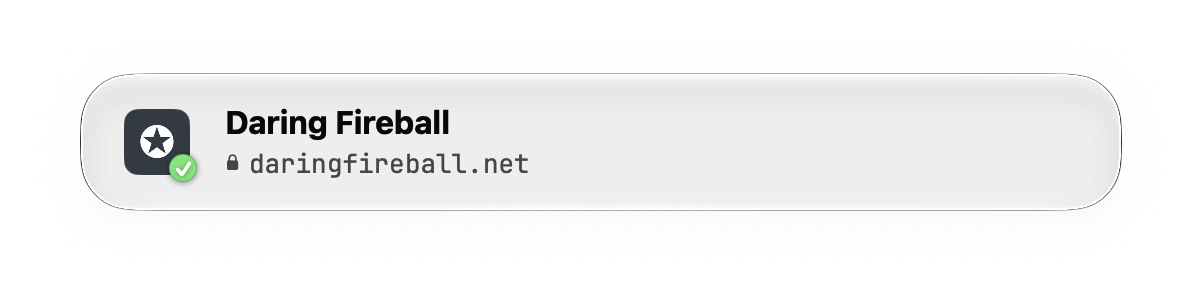
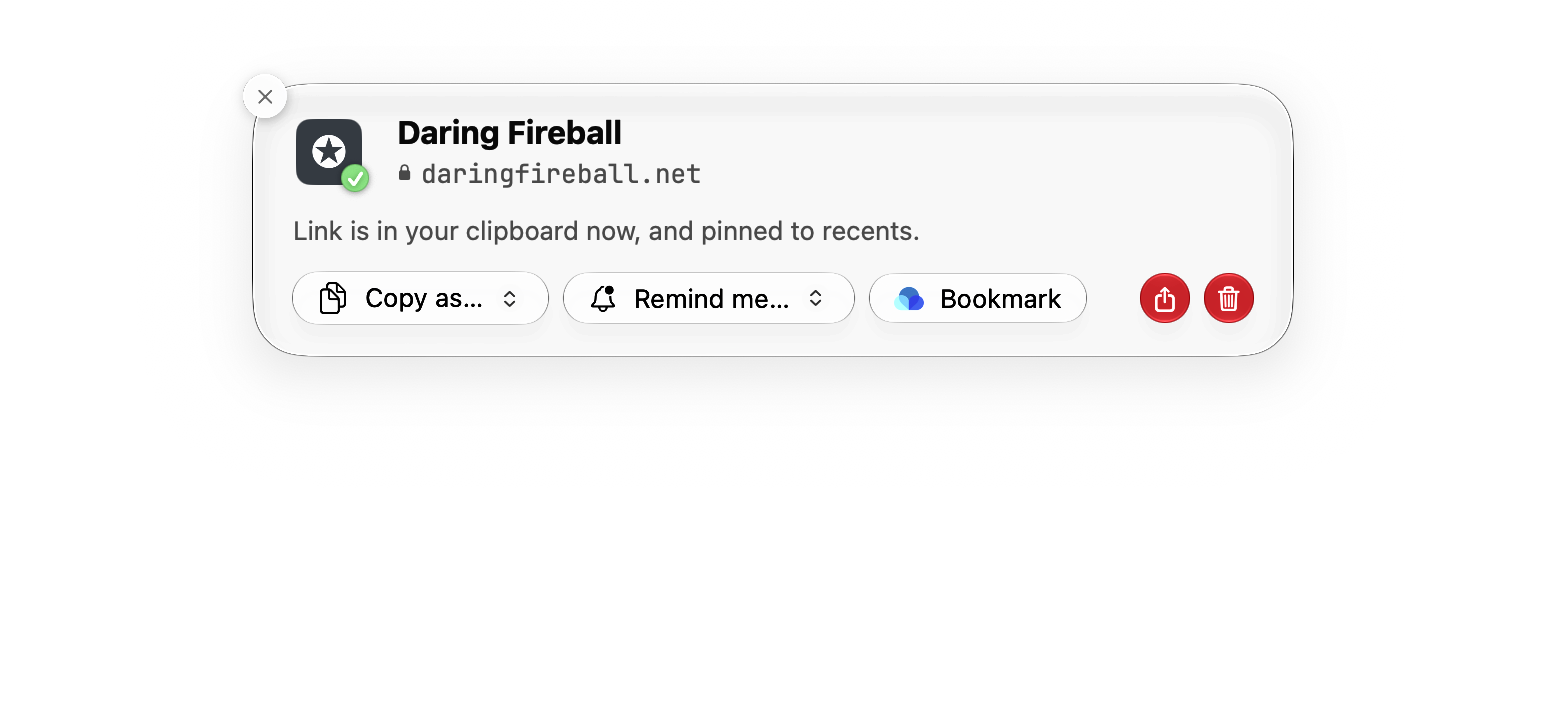
- The right reference is on your clipboard. A small confirmation shows what was copied. Paste it into your PR, ticket, message, or doc.

| Safari | https://developer.apple.com/documentation/appkit/nspanel |
|---|---|
| Safari, text selected | …/nspanel#:~:text=nonactivating — reopens at your highlight |
| Finder | ~/Projects/pitch-deck/final-v3.key |
| message://<A1B2…@mail.example> — reopens the exact thread | |
| Terminal, SSH'd | ssh://demo@build-server |
| Preview, page 4 | file:///…/contract.pdf#page=4 |
| Things 3 | things:///show?id=2Bx7… — straight to the to-do |
| Spotify | https://song.link/s/4uLU6hMC… — opens in anyone's service |
| YouTube | https://youtu.be/dQw4w9WgXcQ?t=102 — with the playhead |
Power-ups
Some apps get special treatment — extra formats, live status, deeper links. The account integrations are optional, read-only, and off until you connect them.
Advanced PDF support
A PDF pin knows it's a PDF — how many pages it has, which one you were reading, and what's written on them.
- Links that keep your page. Copy from Preview or Skim and the link carries
#page=12— it opens right at your page in any browser's PDF viewer, and Skim links round-trip perfectly. - The text, not the file. Copy as Text puts the selectable text straight on your clipboard — the whole document or just the page you're on. On-device and instant, powered by PDFKit.
- Scanned pages? Mistral OCR. When there's no text layer, Copy as Markdown runs the PDF through Mistral's OCR and returns clean, LLM-ready Markdown — headings, tables and all. Bring your own API key; PDFs up to 50 MB.
- PDFs in browser tabs, too. Reading one in Safari or Chrome? One action downloads it and copies the real file.
OCR is the one Pinza feature that sends a file off your Mac — only that PDF, only to Mistral, only when you choose it. It stays greyed out until you add your key in Settings.


Google Drive
Sign in and a Docs, Sheets, or Slides pin exports as clean Markdown, CSV, or plain text — ready for any LLM — or downloads as Word, Excel, PowerPoint, or PDF. The copy menu shows the doc's sharing state before you paste a link colleagues can't open.
Notion
Any page copies as AI-ready Markdown, or downloads as PDF. Notion links drop their tracking parameter before they reach your clipboard. Read-only, and only for pages you've shared with the integration.
Raindrop.io
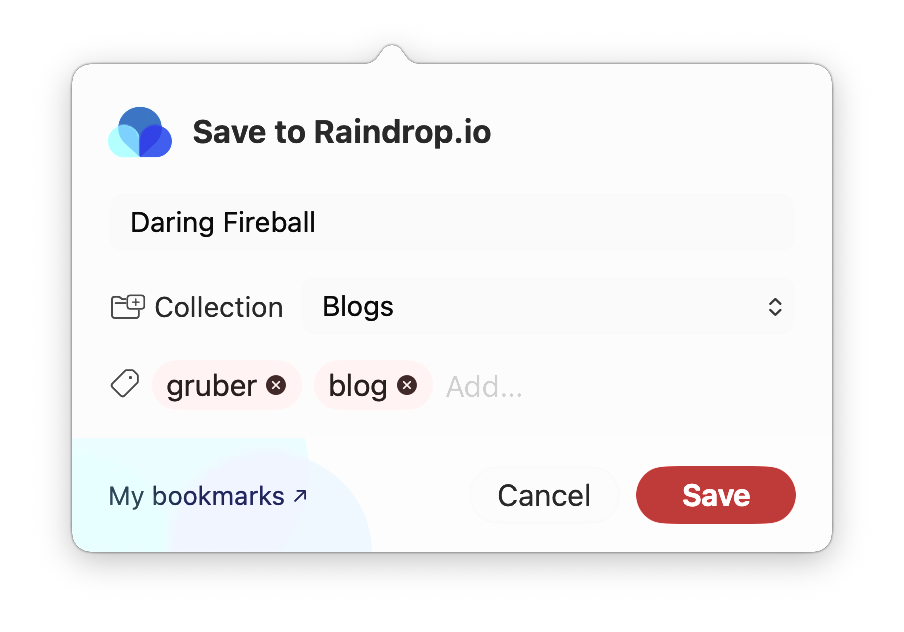
Every web pin gets a Save button on the confirmation card — with a collection picker and tags, and your text highlight carried along. Pinza knows when a link is already saved.
Slack
Copy a link to the exact message you've selected — the archive URL, or a slack:// deep-link that opens the app right at that message.

YouTube
Clean youtu.be short links that carry a paused video's playhead — and the channel's name. Opt in per browser.
Spotify
A Spotify pin is a song.link URL, so it opens in whichever service the recipient uses. Or copy the direct link for any of these — album art included:











GitHub
A github.com pin also offers the owner/repo slug, HTTPS and SSH clone URLs, the gh command, and raw-file URLs.

Things 3
A Things pin tracks its to-do's live status. Complete, cancel, or reopen it from Pinza — and see when it's been deleted.
Built for power users
Everything above works with zero configuration. Underneath, there's a layer for people who keep dotfiles.
Settings that live in your dotfiles
Every setting mirrors to a pretty-printed, sorted-keys JSON file — XDG-aware, diffable, script-editable. Change it and Pinza reads it back at launch. A file that doesn't parse is set aside, never applied blindly.
Permalinks to your pins
Every pin has a local address like pinza://R3R63. Opening it reveals the file or reopens the link; add ?action=copy to put it back on your clipboard. Paste them in notes, scripts, or docs on your own Mac.
A launcher, if you want one
Prefer the Spotlight look? Swap the recents popover for a full launcher window — same search, same shortcuts, more room.
Shortcuts as plain text
Both global shortcuts are re-mappable, and they live in the config as strings like "ctrl+opt+p". Set one to null to turn it off.
Copy as… — the full list, all free
- Git Path
- Absolute Path
- Tilde Path
- Tilde Path (Escaped)
- Filename
- Enclosing Folder
- AppleScript Path
- File URL
- VS Code URL
- SCP Path
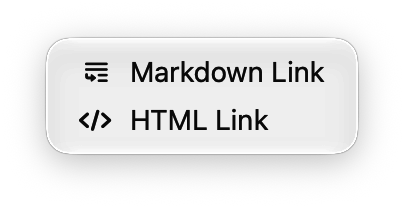
- Markdown Link
- HTML Link
- ROT13
- SHA-256 Hash
- Base64
- Base64 Data URI
- Pinza Link
- PDF Text
- Markdown via OCR
One shortcut. Forty-plus apps.
Each app handled the way that app deserves — not a generic AppleScript sweep. Anything document-based that Pinza doesn't know by name still gets a sensible fallback.
Browsers
the tab's URL — or a highlight link when text is selected









Terminals
the shell's working directory — or ssh://user@host





Editors & IDEs
a deep-link that reopens the file you're editing




Mail, tasks & messages
a link back to the exact message, event, or to-do



Notes & writing
a deep-link that reopens the note



Media
a link to the song, episode, or book — cover art included





Files & system
paths, PDF pages, the exact Settings pane




Everything else
document-based apps fall back to the open file's path


- …
A link can be so much more
A pin carries the detail that makes it worth pasting — the page you were on, the exact sentence you selected.
#:~:text=
Highlight links
Select text on any page and the link reopens to that exact passage. Copy more highlights on the same page and they merge into one link.
#page=4
PDFs open at your page
Preview and Skim links carry the page you were reading. Works in any browser's PDF viewer; Skim links round-trip perfectly.
ssh://
Knows when you're remote
Terminals give the working directory. SSH'd into a server? You get ssh://you@host instead — parsed from the real ssh process.
3 files
Real files, plural
Select three files in Finder and the copy pastes as three actual files — into Mail, Slack, or another Finder window.
⌘Z
Rename from the card
Just copied a file? Rename it right on the confirmation card — with an undo chip, and a warning if you change the extension.
this evening
Remind me
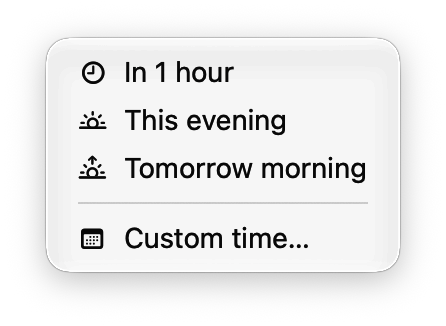
Any pin becomes an Apple Reminder: in an hour, this evening, tomorrow morning, or a time you pick. Write-only — Pinza never reads your reminders.
⇧⌘D
Cards
Pop a pin out of the list as a floating note. Keep up to fifteen on screen; they survive a relaunch.
More
- While the confirmation card is up, the number keys 1–9 pick a Copy as… format
- Copy as ROT13, escaped path, or AppleScript path — the long tail of formats is all there
- SHA-256 hashes and Base64 data URIs, for files up to 50 MB
- The confirmation card docks in any of six screen corners; Space holds it open
- Multi-select in Recents, with a ⌘K action menu
- Deleted a pin? Undo brings it back — with a little poof
- The default shortcut is AZERTY-safe
Paste it the way the destination wants it
Every pin carries more than one shape. The default is right for most pastes; the Copy as… menu has the rest — all of it in the free tier.
Links paste rich
Deep-links land as a clickable title in Mail, Notes, or Pages — and as the plain URL in Slack, terminals, and editors. Markdown and HTML variants are one keystroke away.
Paths for every destination
A file pin carries every shape a path can take — Git-relative for the PR comment, tilde for the terminal, a vscode:// URL for a colleague's editor. The default follows the app you copied from.
Everything you copied, one keystroke away
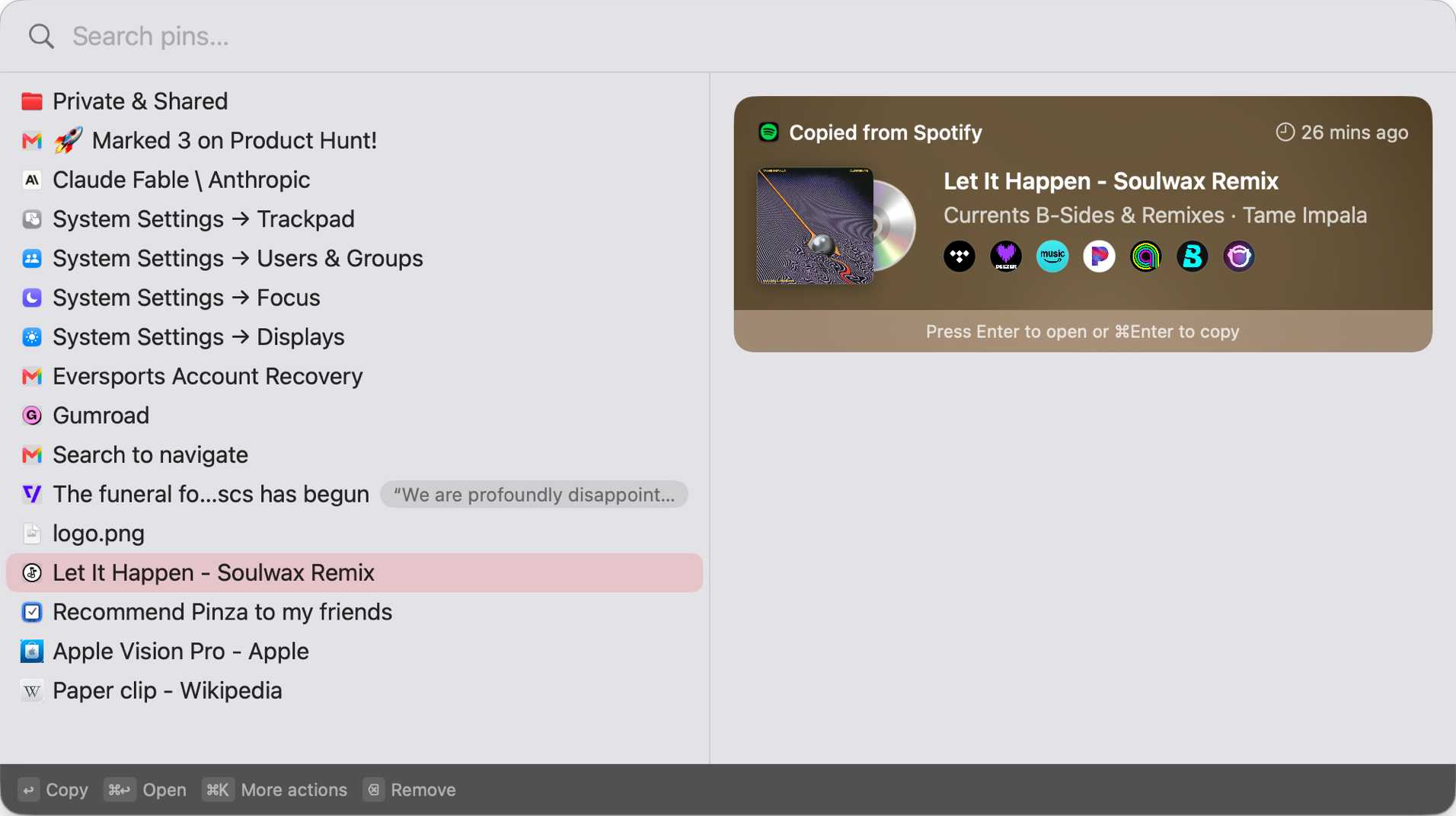
Search it, don't scroll it
The popover opens with the search field focused. Arrow keys move, Enter copies, ⌘K opens actions for the selected pin.
Pin it, lock it, undo it
Pin a row to the top and it stays. Lock one and it can't be deleted until you unlock it. Deleted something anyway? Undo brings it back.
Hover for the good part
Tooltips show the full highlight, a Things to-do's live status, or album art — on a spinning record, 33⅓ or 45 RPM, your choice.
Favicons, fetched politely
Site icons come straight from the site itself — never from a third-party favicon service — and are cached on your Mac.
Free for the core. Pro for the power.
The free tier is the real product — every app, both shortcuts, forever. Not a trial.
Pinza
Free
- All 40+ app integrations
- Copy Link + Copy File Reference shortcuts
- Copy as… — every format
- Highlight links, Remind me, Cards
- Google Drive, Notion, Raindrop.io integrations
- Last 25 items in Recents
- All 1.x updates
Pinza Pro
$9.99 one time
- Everything in the free tier
- Unlimited Recents history, kept forever
- Recently Deleted Bin, protected by Touch ID
- Local MCP server for your AI agent
- 5 Macs per license
- Roadmap features included as they ship — Groups, tags, iCloud sync
Checkout by Gumroad. Your license key arrives by email; paste it into Settings → Pro. 14-day refunds, no questions asked. No subscription, ever.
Your pins, available to your AI agent
Pinza Pro runs a local MCP server, so your favorite agent — Claude, Codex, Gemini, Copilot, or any other MCP client — can search your pins, read their details, or pop one up as a Card. Five tools, each with its own toggle; the only one that can write to your clipboard ships turned off.
Pinza's MCP server is fully local: nothing listens on a port, and nothing leaves your Mac. Turn it on or off per session.




Your links stay on your Mac
Encrypted at rest
Your history is an AES-256 encrypted SQLite database. The key is generated on your Mac, lives in your Keychain, and never leaves the device.
Reads only on the shortcut
Pinza looks at the frontmost window when you press the shortcut — never in the background, never the screen.
No network by default
Favicons, cover art, and the YouTube playhead are opt-in and fetched straight from the source. Crash reporting is off until you turn it on.
No account, no analytics
Nothing to sign up for. Nothing counted, nothing tracked.
Read the full privacy policy — it lists every network connection the app can make, and how to turn each one off.
Stays out of your way
Lives in the menu bar. No Dock icon. One keyboard shortcut, re-mappable. A recents list when you want to go back to something you copied earlier. That's the whole product.
- Full VoiceOver support
- Respects Reduce Motion
- English & Nederlands
- Universal binary
- Notarized, signed updates
- No Electron — 100% native
FAQ
Is there a subscription?
No. Pinza Pro is $9.99, once. Every 1.x update is free. If a 2.0 ever ships as a paid upgrade, 1.x customers get 50% off.
How many Macs does one license cover?
Five. Deactivate a Mac from Settings → Pro to free a seat.
What stays free?
Everything that makes Pinza Pinza: all app integrations, both shortcuts, every Copy as… format, the account integrations, and the recents popover with your last 25 items. The free tier is not a trial.
Why does Pinza ask for the Accessibility permission?
Reading the frontmost app's state — the tab URL, the selected file — uses macOS accessibility APIs and AppleScript. That's the entire use: read on shortcut press, never in the background. The privacy policy has the details.
What's the MCP server?
MCP is the open protocol AI apps use to talk to local tools. Pinza Pro's MCP server lets your AI agent — Claude, Codex, Gemini, or any MCP client — search and read your pins locally, over a Unix socket, with nothing leaving your Mac. You paste one snippet into the agent's config and it works.
Which MCP commands are there?
Five, each with its own toggle in Settings:
search_pins— full-text search across your pinslist_pins— list pins, filtered by app, site, or dateget_pin— one pin's details, including its highlightsreveal_pin— pop a pin up on screen as a floating Cardcopy_pin— put a pin back on your clipboard. The only tool that can write, so it ships turned off.
Apple Silicon or Intel?
Pinza is a universal binary and runs natively on both. It needs macOS 14 Sonoma or newer.
Where is my data?
On your Mac, in an encrypted SQLite database under ~/Library/Application Support/Pinza/. The encryption key lives in your Keychain and never leaves the device.
What's the refund policy?
14 days, no questions asked — through Gumroad or by emailing hello@pinza.app.
Why isn't Pinza in the Mac App Store?
The App Store sandbox forbids apps that read other apps' state — which is Pinza's entire job. Every comparable utility (Alfred, Keyboard Maestro, Bartender, Hookmark) distributes directly for the same reason. Pinza is notarized by Apple and updates itself securely via Sparkle.